Stop searching for links.
No more buried bookmarks, outdated chat links or asking a coworker to resend the portal URL. Go straight from BLACKBOOK to the official tool.
Your daily operations toolkit, organized around you. Choose five favorite tools, open the new Day/Week/Month calendar, return to your last six, and keep the time in your work timezone—without digging through bookmarks or old messages.
Meet BLACKBOOK, your personal shortcut to Golden Legacy Moving's dispatch, communication, fleet, workforce, accounting, and company reference tools. Choose your five favorites, see recently used tools, and decide whether to display a live workday clock. It’s your personal launchpad, not another complicated system to learn.

Your five quick-launch tools
BLACKBOOK is the team's convenient starting point, not one more complicated system to learn. Whether you're dispatching a truck, checking an assignment, replying to a message, or reviewing an SOP, the right starting point is already waiting.
No more buried bookmarks, outdated chat links or asking a coworker to resend the portal URL. Go straight from BLACKBOOK to the official tool.
Choose your five most important tools or BLACKBOOK features, or add approved website shortcuts. BLACKBOOK also remembers the last six tools you opened, so picking up where you left off is effortless.
Turn on an always-visible clock in your work timezone and choose which BLACKBOOK notices matter. Personal job alerts can be enabled after secure dispatch integration is connected.
BLACKBOOK organizes the tools used across Golden Legacy Moving — without changing how those original platforms work.
Open MovePlnr Dispatch, assignments and delivery routes, then jump into Google Maps for directions and live traffic when on the road.
COMMUNICATION · OPEN ↗Email is optional: open Gmail, Yahoo, Outlook or Webador from My Mail if you need it; also reach WhatsApp and the official GLM social platforms. Email alerts are a planned secure integration.
OPERATIONS · OPEN ↗Reach Motive, Porwork, Jotform, QuickBooks, Bluevine, the live tracker and company SOPs. Individual account permissions still apply.
Keep your five chosen tools up front, reopen your most recent six without hunting, and turn on a live clock in whichever timezone your shift follows. Choose which BLACKBOOK notices reach you. Everything stays simple, familiar and tailored to your day.
Choose my five favorites ↗For drivers, MovePlnr remains the place to check jobs, stops and assignments. BLACKBOOK places MovePlnr, Maps, Motive, Porwork and WhatsApp together, so no one has to dig through old tabs. Use MovePlnr's stop directions where available; Google Maps is a backup, not a second schedule.
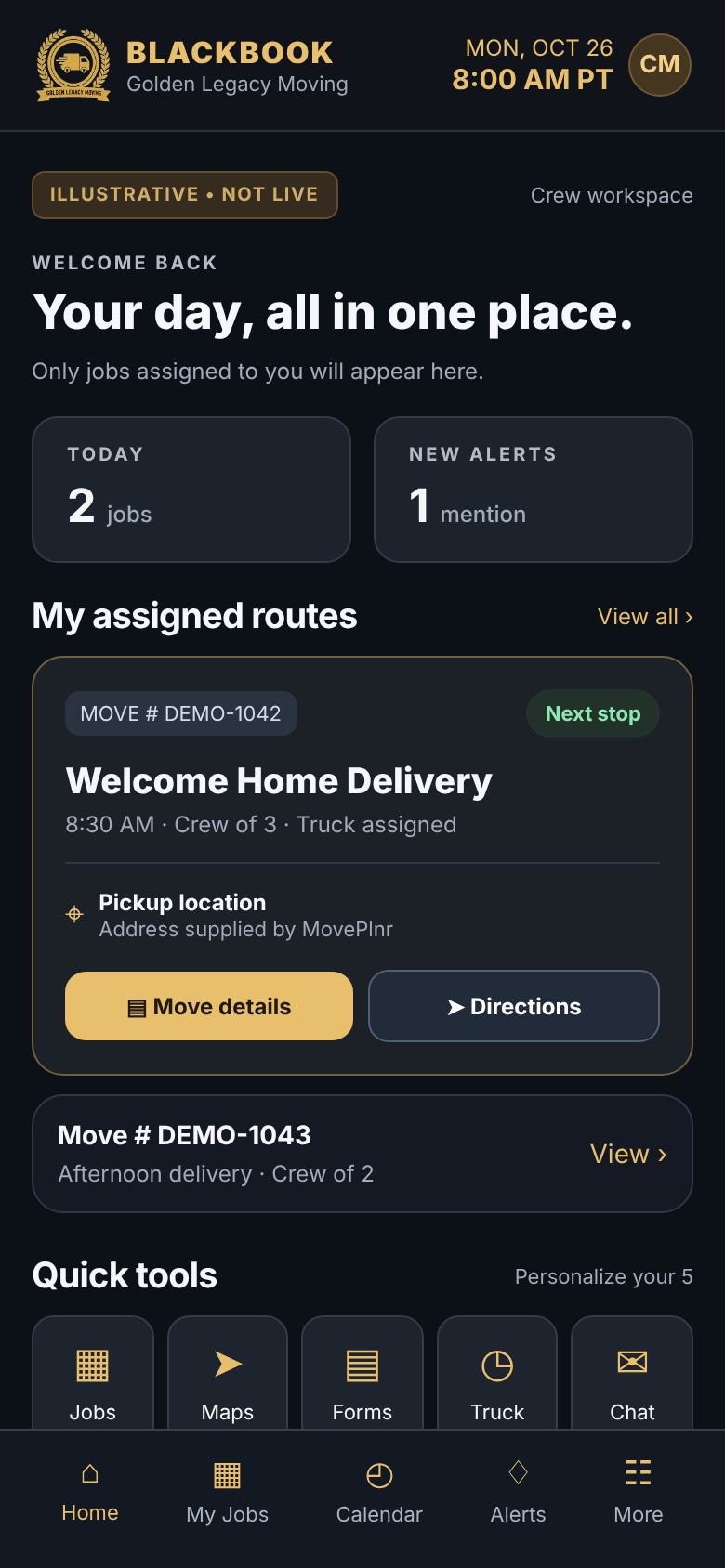
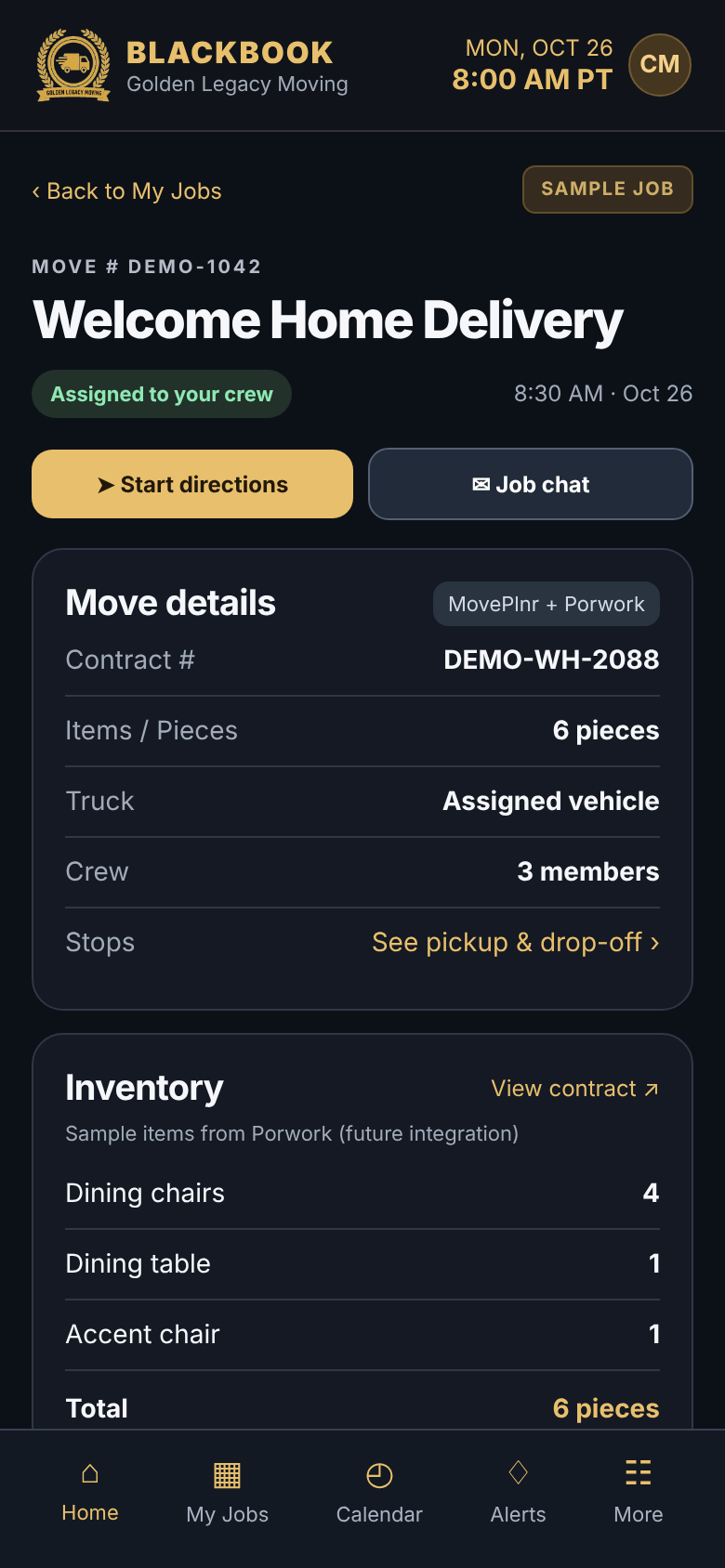
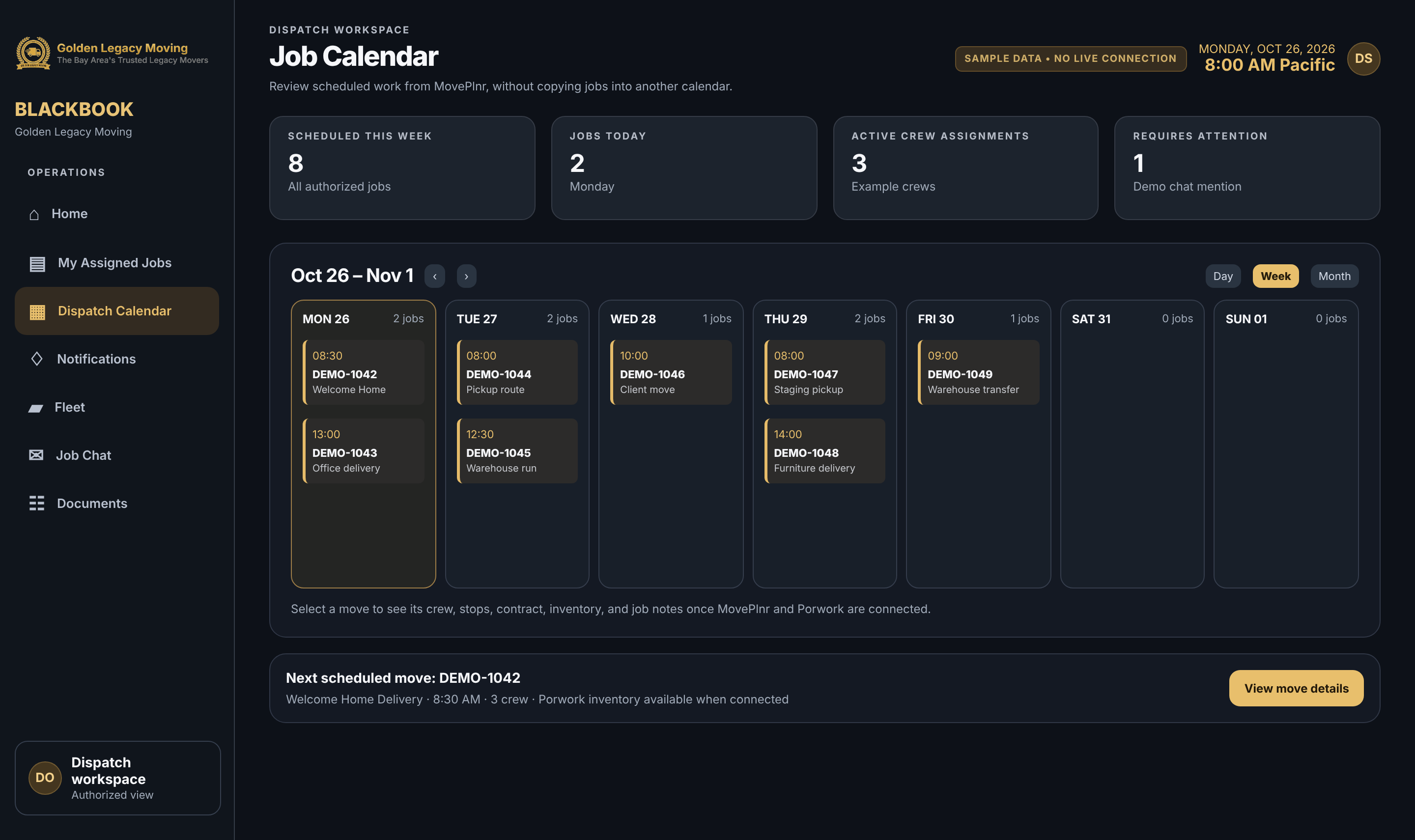
These are actual screenshots of the BLACKBOOK interface. The sample shortcuts below are already customized; your five slots start empty. Use our step-by-step guide to install BLACKBOOK and set up your own workspace.
View step-by-step instructions with photos ↗ BLACKBOOK is a progressive web app. On compatible devices, you can install its icon and open the dashboard without typing the website address. You can also use it right in your browser.
Open the BLACKBOOK website in Chrome. Open the three-dot menu and choose Install app or Add to Home screen, then confirm.
Open this website in Safari. Use Share, choose Add to Home Screen, and then Add. The BLACKBOOK icon will appear on your device.
In Chrome or Edge, use the browser's Install option when available. On supported macOS versions, Safari may offer Add to Dock. Use the BLACKBOOK icon to reopen it.
The calendar currently provides navigation only: live jobs and personal BLACKBOOK push alerts await authorized MovePlnr integration. Email push alerts and mail syncing are not yet connected. BLACKBOOK is a launchpad, not a replacement for MovePlnr, QuickBooks, WhatsApp or other systems. Those services may open their own app or browser page and require their own authorized sign-in. Secure company documents should only be added after the site is access-protected.
Use MovePlnr’s own personal notifications for chat @mentions and crew updates. Keep the alerts relevant to your role, and launch them right from BLACKBOOK.
Open my MovePlnr notifications ↗ How to choose my alerts ↗